See every move
before it happens.
Real-time Stockfish analysis overlaid directly on your chess board. Open source. Runs locally. No cloud, no lag.
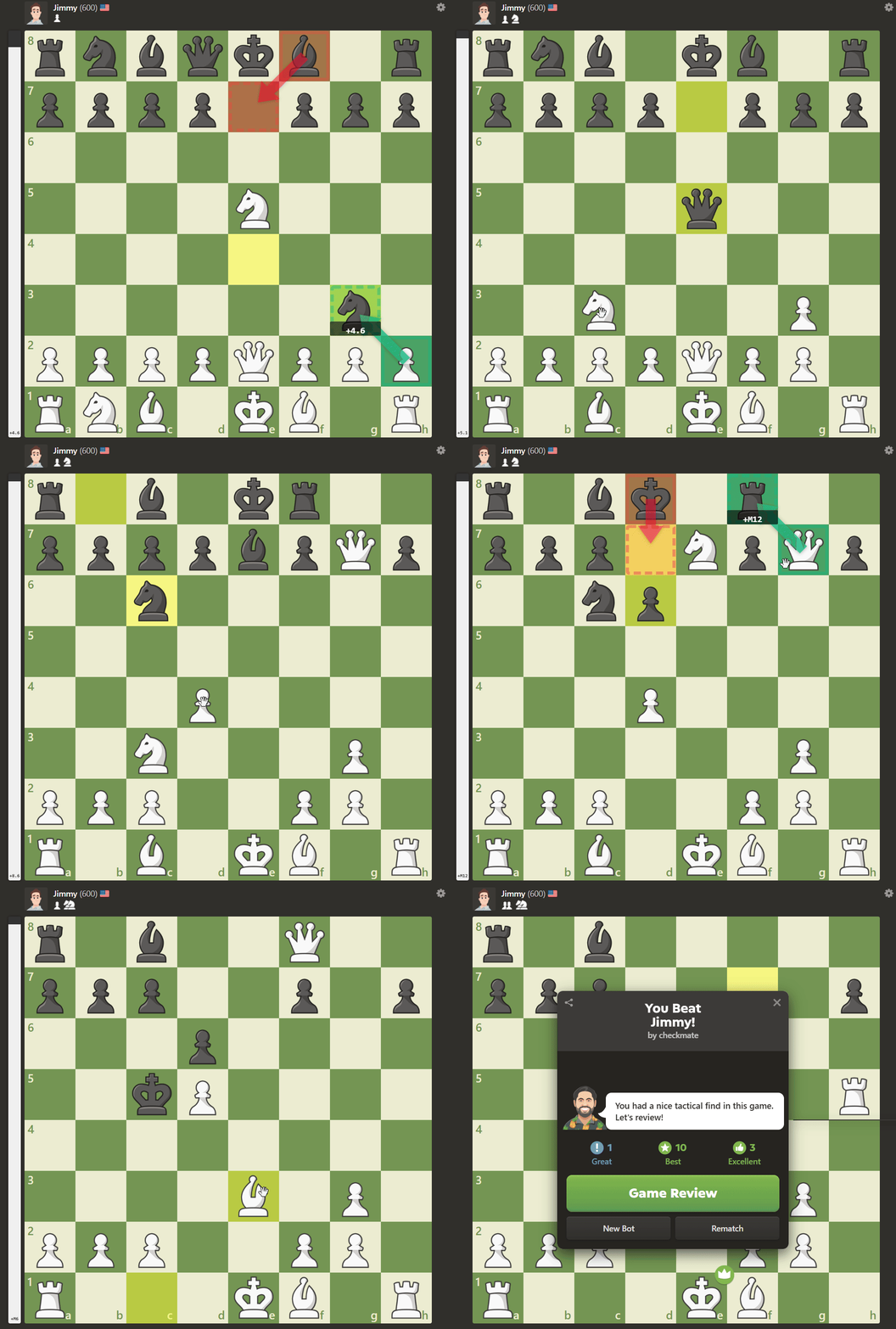
Real-time Stockfish analysis overlaid directly on your chess board. Open source. Runs locally. No cloud, no lag.
Everything runs locally through a WebSocket connection to Stockfish. No accounts, no servers, no latency.
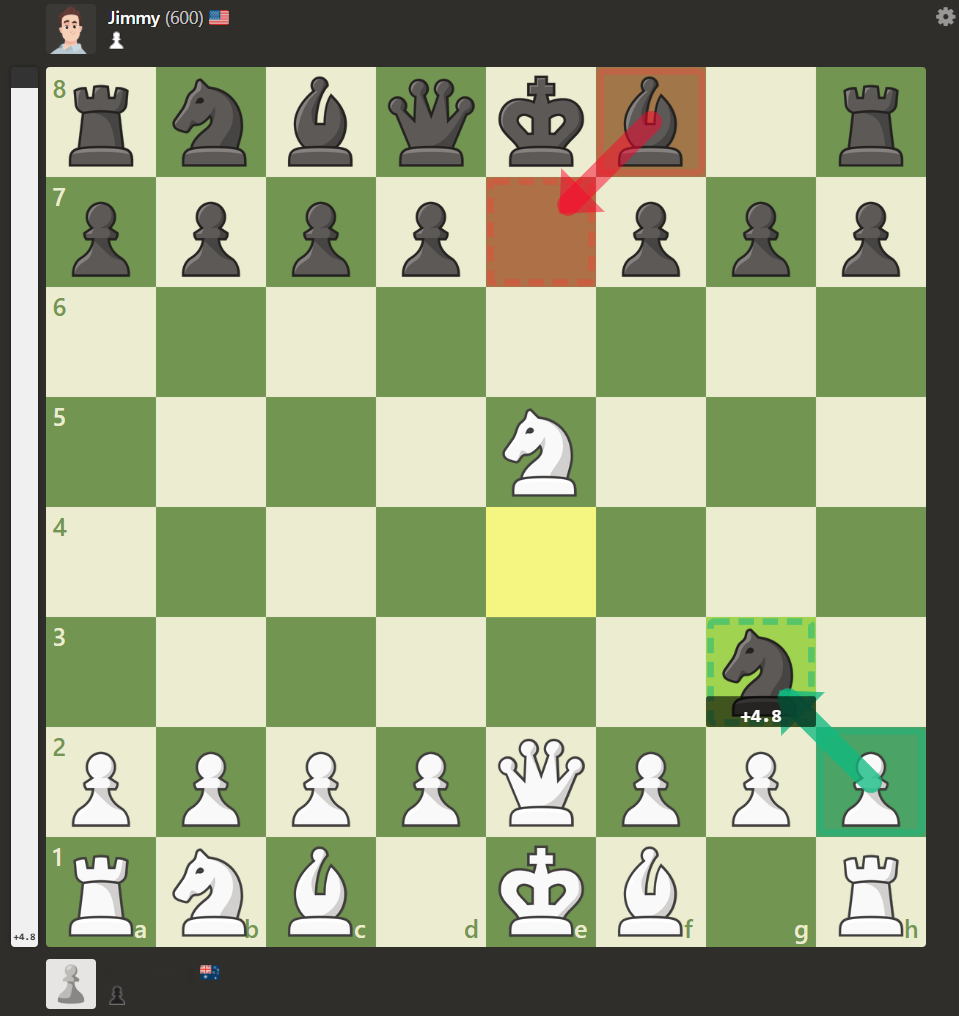 arrows.png
Best-move arrows color-coded by source — green for the engine, gold for opening book, blue for the masters database, red for blunders. Multi-PV support up to 8 lines. Real-time eval bar and WDL bar update as you play. Opponent response arrows show what they're likely thinking. Infinite analysis mode with position caching so nothing gets recalculated twice.
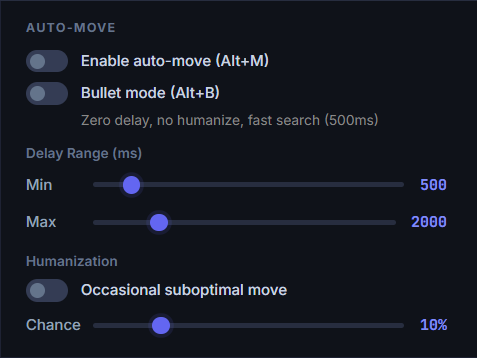 auto-move.png
Automatic move execution with humanization built in. Configurable random delays with min/max millisecond ranges and a 0–50% chance of intentionally suboptimal moves. Bullet mode for blitz games. Works across all supported sites using native DOM events — no detectable click simulation.
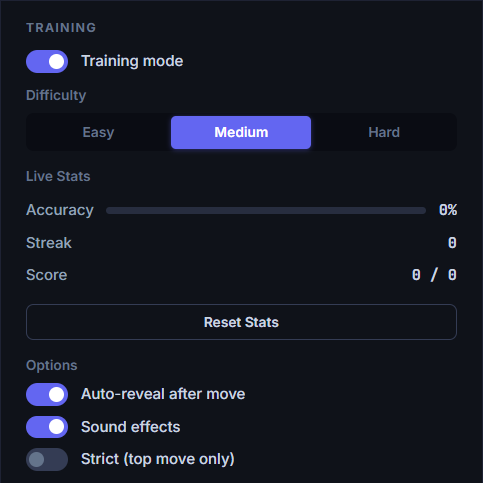 training.png
Progressive 3-stage hints: first which piece to move, then the destination zone, then the full move reveal. Easy, Medium, and Hard difficulty settings. Accuracy tracking shows correct/total percentage with a streak counter. Optional audio feedback so you can train by ear.
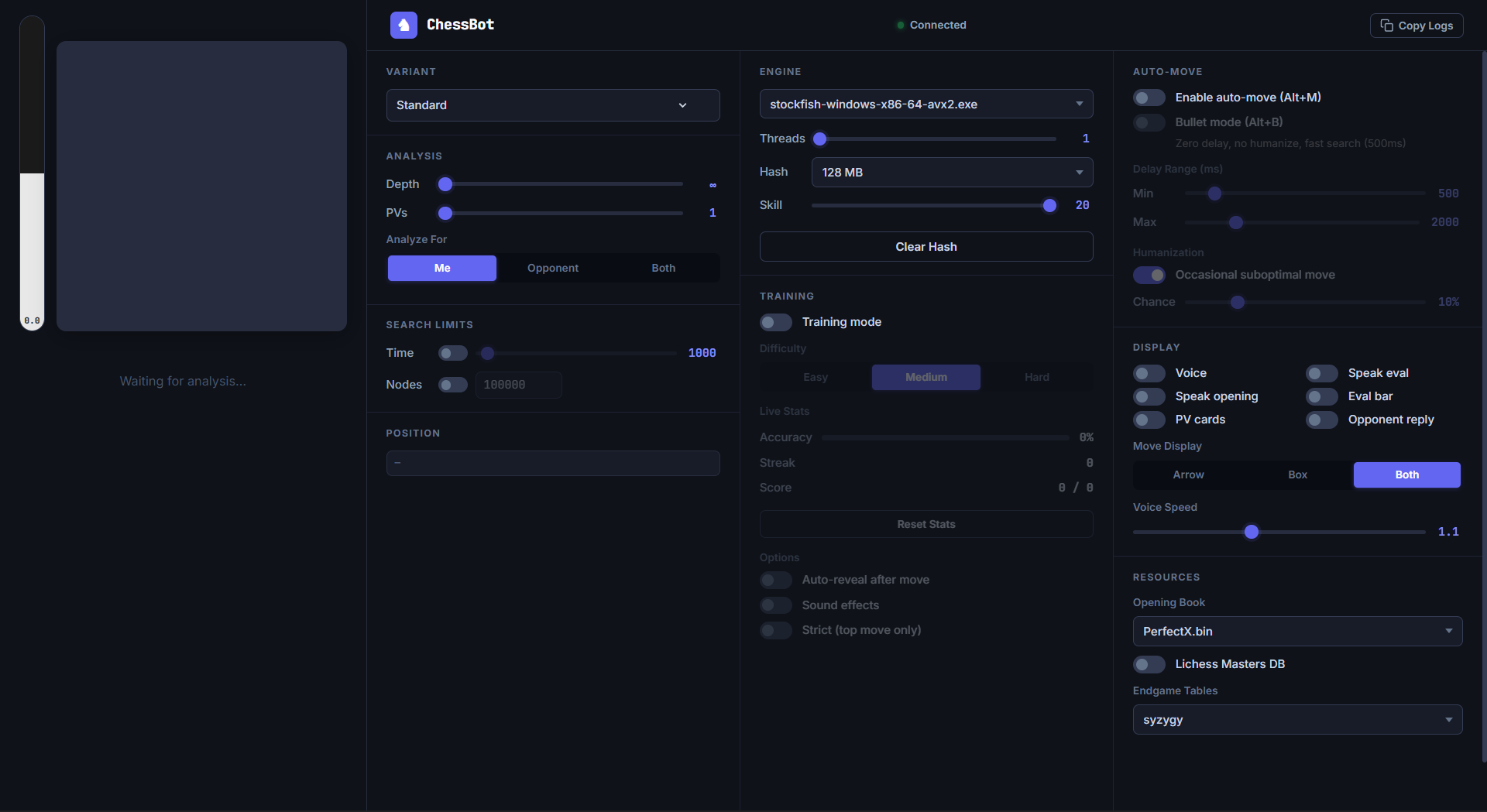 dashboard.png
Full settings UI served at localhost:8080 with a live board preview.
Three organized columns for analysis, engine configuration, and display/automation settings.
Slider values are clickable for direct numeric input. Accent color picker lets you
theme the entire dashboard to your preference.
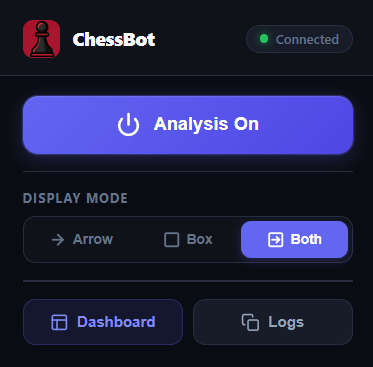 popup.png
Quick-access popup for toggling analysis on and off, checking WebSocket connection status, switching between display modes, and launching the full dashboard. Everything you need without leaving the game tab.
Automatic engine switching between Stockfish and Fairy-Stockfish based on the detected variant.
Chess, Chess960
Atomic, Crazyhouse, King of the Hill, Three-Check, Five-Check, Antichess, Horde, Racing Kings
Crazyhouse, Bughouse, Chessgi, S-House, Loop, Pocket Knight, Shogun, Grandhouse, Placement
Makruk, Shatar, Shatranj, Sittuyin, Cambodian Chess, and more
Minishogi, Judkins Shogi, Kyoto Shogi, Tori Shogi, and more
Ataxx, Breakthrough, Clobber, Los Alamos, Micro Chess, and more
Three steps. No sign-ups, no API keys, no cloud dependency.
Clone the repo and load the unpacked extension in Chrome. Start the local Stockfish WebSocket server.
Read the full install guide →Open any supported chess site and start a game. ChessBot detects the board automatically.
Best-move arrows, eval bar, and WDL stats appear in real time directly on the board.
The details that make it feel complete.
Polyglot .bin books and Lichess Masters database for book moves alongside engine analysis.
Automatic opening identification using the Encyclopedia of Chess Openings codes.
Perfect endgame play for positions with 7 or fewer pieces. No guessing in won endings.
Hear best moves spoken aloud via Web Speech API. Adjustable speed from 0.5× to 2×.
Alt+A resume · Alt+S stop · Alt+W analyze for me · Alt+Q analyze for opponent
Positions cached for 5 minutes (up to 500 entries). Revisited positions return results instantly.